WhatsApp Business API vs WhatsApp Cloud API: Complete Comparison
Choosing between WhatsApp Business API and WhatsApp Cloud API is not only a technical decision. It affects setup speed, hosting ownership, maintenance, webhooks, automation, campaign operations, support workflows, and how your team scales customer conversations.

WhatsApp has become a serious business channel for support, notifications, sales conversations, appointment updates, and permission-based campaigns. But once a team moves beyond the mobile app, the first confusing question appears quickly: should you use WhatsApp Business API or WhatsApp Cloud API?
The names sound similar because both are part of the same broader business messaging world. The real difference is how much infrastructure, setup, maintenance, tooling, and operational responsibility your team wants to own. A developer may care about endpoints and webhooks. A support manager may care about inboxes and handover. A marketer may care about segmentation and consent. A founder may care about cost, speed, and reliability.
Start with the workflow, not only the API
Compare API options, then build messaging, campaigns, webhooks, CRM context, and AI support flows with Waplix.
Create your free Waplix account Explore API documentationWhat WhatsApp Business API means
WhatsApp Business API is commonly used as a broad term for API-based WhatsApp business messaging. In many setups, businesses access it through a business solution provider, messaging platform, or managed SaaS layer. That provider may handle parts of onboarding, infrastructure, templates, account configuration, analytics, support tools, and sometimes additional features such as campaign builders or shared inboxes.
This route can be useful when the team wants speed and operational convenience. Instead of building every interface, queue, dashboard, retry workflow, and support handover from scratch, the business can use a platform that already packages those pieces.
When this model feels better
- Your team wants a ready operational layer, not only raw endpoints.
- You need campaigns, inboxes, analytics, CRM context, or automation quickly.
- You want support and implementation guidance around business workflows.
- You prefer to reduce infrastructure and monitoring responsibilities.
What WhatsApp Cloud API means
WhatsApp Cloud API is a Meta-hosted API option. It gives developers a direct cloud-hosted way to integrate WhatsApp messaging into their applications. Teams can send messages, receive webhooks, manage message templates, and connect the API to their own systems.
Cloud API is attractive for developer teams that want direct control, clear API access, and the ability to build a custom messaging stack. But direct access does not remove the need for product decisions. You still need to decide how agents reply, how messages are routed, how consent is stored, how webhooks are logged, and how campaigns are measured.
Business API vs Cloud API: quick comparison
The best choice depends on the team behind the system. A developer-heavy SaaS company may value direct API control. A sales or support-led business may value an integrated platform that turns API access into usable workflows.
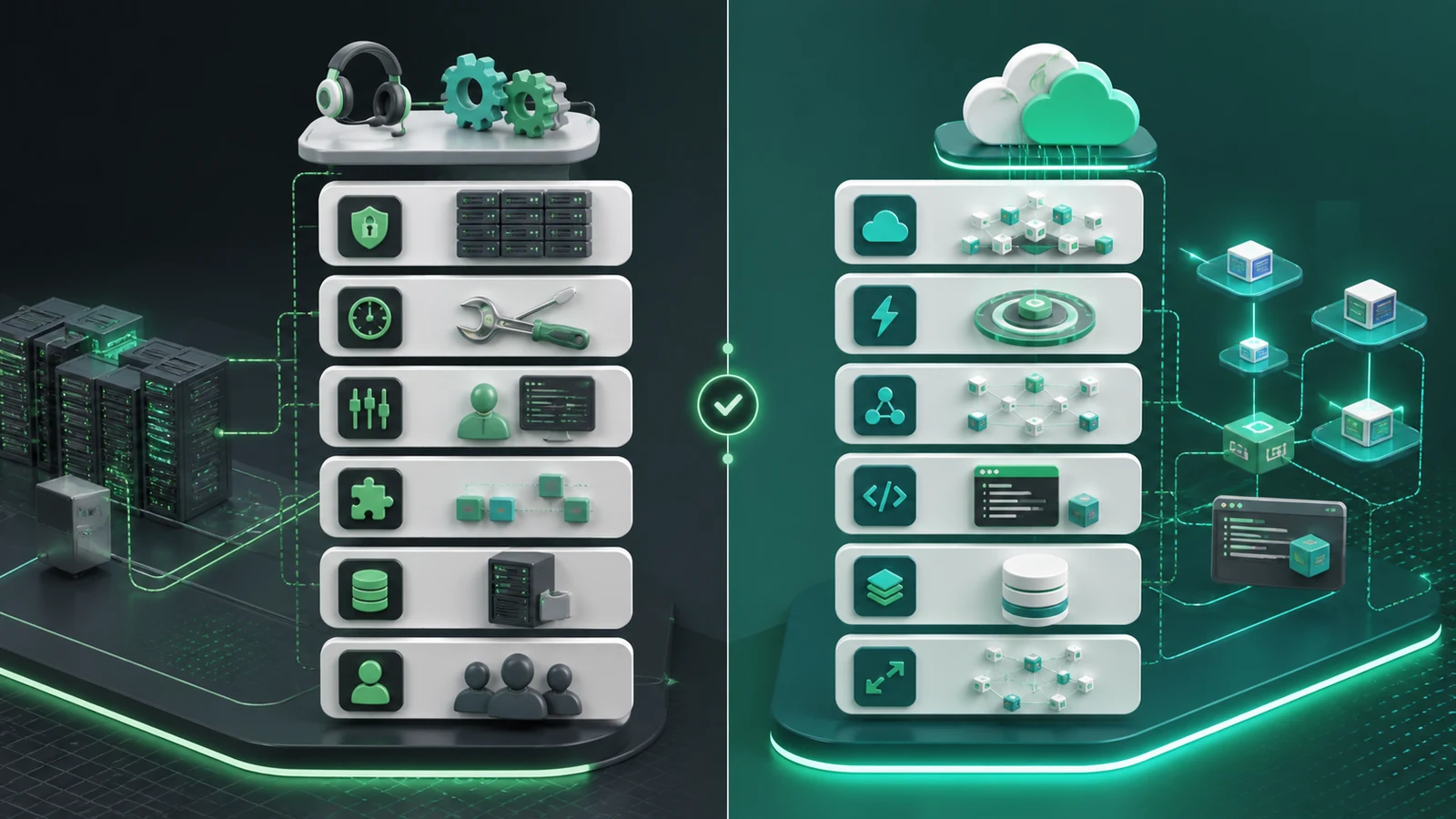
| Decision area | WhatsApp Business API path | WhatsApp Cloud API path |
|---|---|---|
| Hosting | Often provider-managed or platform-mediated | Meta-hosted cloud API infrastructure |
| Setup speed | Can be faster when the provider handles onboarding and tools | Fast for developers, but workflow tooling still needs to be built or connected |
| Control | Depends on provider features and abstraction level | More direct technical control over API integration |
| Maintenance | Provider may handle more operational complexity | Your team owns more application logic and monitoring |
| Best fit | Teams needing inbox, campaigns, automation, CRM, reporting, and support workflows | Developer teams building a custom messaging product or integration layer |
| Hidden work | Provider evaluation, migration planning, feature fit | Queues, retries, dashboards, permissions, analytics, human handover, compliance operations |
Architecture and message flow
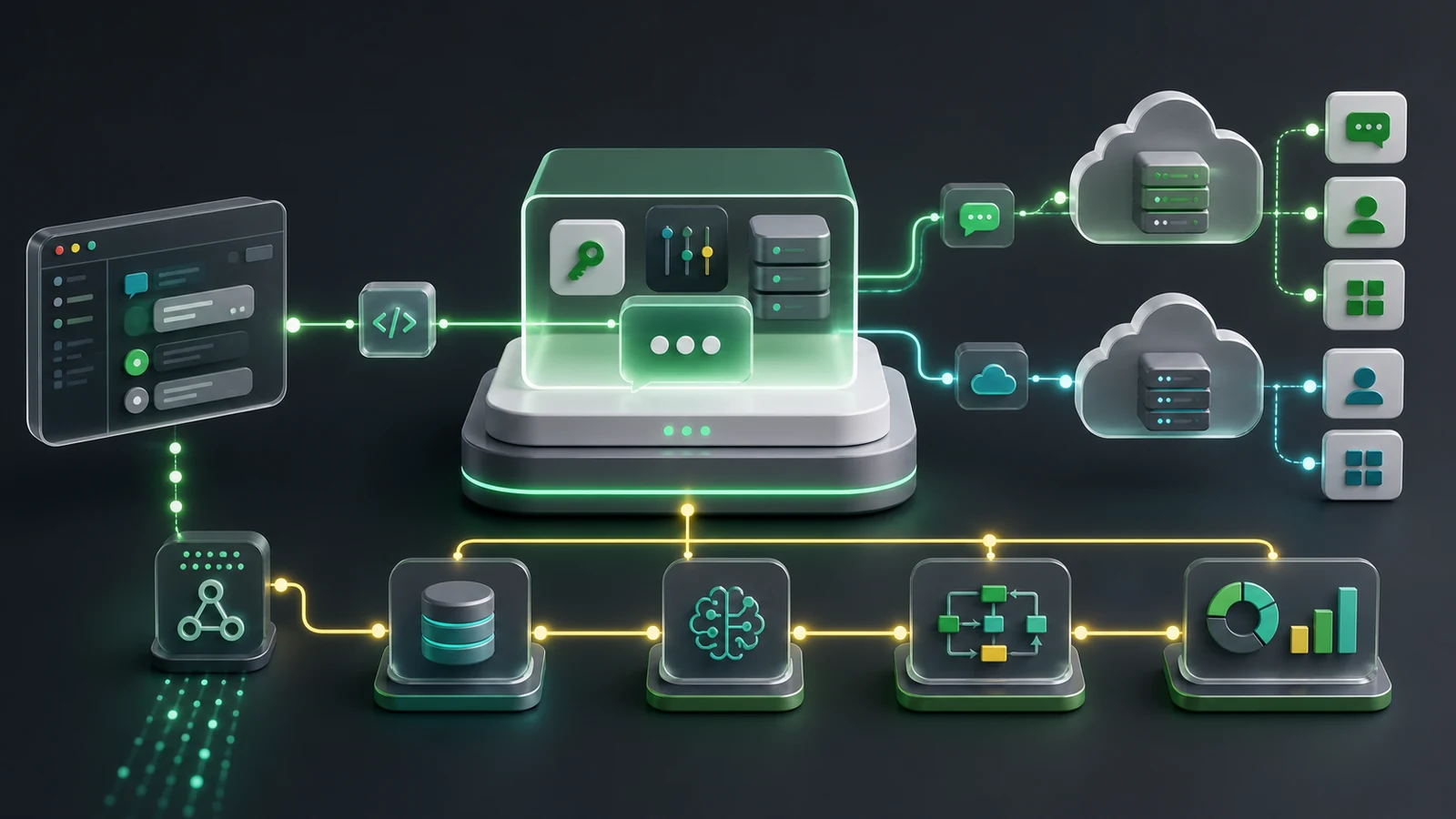
Regardless of the API route, the architecture usually follows the same pattern: your business system sends a request, the messaging platform processes it, WhatsApp delivers the message, and webhook events come back to your application. The difference is how much of that stack you own directly.
Key takeaway
Do not compare only endpoints. Compare the complete operating model: who owns setup, who watches failures, who manages opt-outs, who sees conversation history, and who improves workflows after launch.
Developer view: endpoints, auth, webhooks, and errors
For developers, the API choice becomes real when you start sending requests and receiving events. Authentication, payload shape, webhook verification, error handling, and rate limits decide whether the integration feels reliable in production.
Endpoint example
POST /api/v1/messages/send
Authorization: Bearer YOUR_API_KEY
Content-Type: application/json

{
  "to": "+15551234567",
  "type": "text",
  "message": "Your appointment reminder is confirmed for tomorrow."
}
JSON response example
{
  "success": true,
  "message_id": "msg_123456",
  "status": "queued",
  "channel": "whatsapp"
}
Webhook example
{
  "event": "message.received",
  "message_id": "msg_123456",
  "from": "+15551234567",
  "timestamp": "2026-01-01T10:00:00Z",
  "text": "Can I reschedule?"
}
Cost comparison: what teams forget to include
Many teams compare API options by visible message pricing or platform subscription cost. That is only part of the decision. The larger question is total cost of ownership: engineering time, support tooling, monitoring, compliance, reporting, and workflow maintenance.
| Cost area | Why it matters | How to evaluate it |
|---|---|---|
| Engineering time | Direct API builds need queues, logs, dashboards, and support tools | Estimate build and maintenance hours, not only launch work |
| Operations | Teams need to watch failures, retries, opt-outs, and customer complaints | Assign owners before launch |
| Campaign management | Permission-based campaigns need segmentation and reporting | Check whether this is built in or custom |
| Support handover | AI and automation need human escalation | Plan routing, inbox ownership, and SLAs |
| Compliance | WhatsApp policies and local laws affect messaging strategy | Store consent and respect opt-outs |
How to choose the right option
Use a simple decision process. Start with business requirements, then move into technical requirements. Teams get stuck when they pick an API first and only later discover they needed shared inboxes, campaign segmentation, analytics, or AI handover.
Define the workflow
Support, order updates, lead routing, appointment reminders, campaigns, or AI-assisted triage.
Map ownership
Decide who owns APIs, webhooks, opt-outs, logs, errors, support routing, and reporting.
Evaluate tooling
Compare inboxes, CRM sync, campaigns, automation, analytics, and AI support needs.
Test small
Launch one compliant workflow, measure results, then expand into more advanced automation.
How Waplix fits into the decision
Waplix is designed for businesses that want WhatsApp API workflows without turning every operational need into a custom engineering project. It brings messaging APIs, campaign automation, webhooks, CRM context, AI support workflows, and analytics into one SaaS platform.
That matters because the API is only the transport layer. Real business value comes from what happens around the message: the lead gets routed, the customer receives the right update, the support agent sees context, the AI assistant knows when to hand over, and the marketer can measure campaign quality without encouraging spam.
Replace this with a real Waplix dashboard screenshot showing inbox, campaigns, API status, and analytics.
Automate WhatsApp communication with Waplix
Build API messaging, campaign automation, webhook workflows, CRM updates, and AI support handover from one place.
See Waplix features View webhook docsCommon mistakes to avoid
- Comparing only message cost. Include tooling, maintenance, compliance, monitoring, and team workflows.
- Ignoring webhooks. Without event handling, your CRM, inbox, and automations quickly fall behind reality.
- Launching campaigns without consent. WhatsApp communication should be permission-based and compliant with policies and local laws.
- Overusing automation. AI and bots should help customers, not trap them. Provide human handover for complex cases.
- Skipping error handling. Log failures, retry safely, and alert the right owner when messages or webhooks fail.
Best practices for production WhatsApp API workflows
Store consent clearly
Track how and when customers opted in. Respect opt-outs and keep campaigns relevant.
Design for handover
Automation should route complex issues to people with enough context to help quickly.
Log webhook events
Keep searchable event history so developers can debug delivery, replies, and automation behavior.
Measure quality
Track response rate, resolution time, opt-outs, complaints, and conversion, not just volume.
Replace this with a real Waplix webhook logs screenshot after production capture.
FAQ
What is the main difference between WhatsApp Business API and WhatsApp Cloud API?
WhatsApp Business API usually refers to business messaging access delivered through a provider or managed infrastructure, while WhatsApp Cloud API is Meta-hosted API infrastructure. The practical difference is often ownership of hosting, setup complexity, maintenance, provider tooling, and how much operational help your team needs.
Which option is better for small businesses?
Many small businesses prefer a platform-led approach because they need speed, inbox tools, campaigns, automation, and support more than raw API hosting control. The best choice depends on the team, budget, compliance needs, and integration depth.
Do both options support webhooks?
Yes, webhook-style event delivery is central to modern WhatsApp API workflows. Webhooks help your system receive message events, delivery updates, status changes, and automation triggers in near real time.
Can I use either API for WhatsApp marketing campaigns?
You can run permission-based WhatsApp campaigns when your use case follows WhatsApp policies, customer consent rules, and local laws. Avoid spam, scraped lists, and unclear opt-ins regardless of the API route you choose.
Do developers still need a platform like Waplix?
Developers can build directly against APIs, but a platform like Waplix can save time by combining messaging endpoints, webhooks, CRM context, campaigns, automation, AI support workflows, analytics, and operational UI in one place.
Is Cloud API always cheaper?
Not always. Infrastructure may look simpler, but total cost includes development time, monitoring, automation, support tooling, analytics, compliance operations, and the work required to maintain reliable customer workflows.
Final recommendation
WhatsApp Business API and WhatsApp Cloud API can both support serious business messaging. The better choice depends on how much your team wants to own directly and how quickly you need usable workflows around the API.
If you have a strong developer team and want direct infrastructure control, Cloud API may fit well. If you want faster operational value with messaging, campaigns, CRM context, automation, webhooks, AI support handover, and reporting, a platform-led approach such as Waplix can reduce the amount of custom work.
Start building with Waplix
Choose the API route with confidence, then launch compliant WhatsApp workflows that your support, marketing, and developer teams can actually operate.
Create your free Waplix account Talk to WaplixImplementation summary
| Generated slug | whatsapp-business-api-vs-whatsapp-cloud-api-complete-comparison |
|---|---|
| Generated image files | featured.webp, comparison.webp, architecture.webp, api-flow.webp |
| Suggested screenshots | Waplix dashboard, API documentation, campaign builder, AI support agent, analytics/reporting, webhook logs, chat inbox. |
| Meta title | Business API vs Cloud API: WhatsApp Guide |
| Meta description | Compare WhatsApp Business API vs Cloud API for setup, hosting, costs, control, webhooks, automation, and Waplix messaging workflows. |
| Focus keyword | WhatsApp Business API vs WhatsApp Cloud API |
| Related keywords | WhatsApp Business API, WhatsApp Cloud API, WhatsApp API comparison, WhatsApp automation, WhatsApp webhooks, WhatsApp CRM, WhatsApp campaigns, AI support agent, business messaging API, Waplix API. |
| Internal links used | /features, /documentation/api, /documentation/webhooks, /documentation/campaigns, /contact, /app/register, related blog guide. |
| Category | WhatsApp API Guides |
| Tags | WhatsApp API, Cloud API, Business API, Automation, Webhooks, CRM, Campaigns, AI Support |
| Excerpt | Compare WhatsApp Business API and Cloud API across setup, hosting, costs, control, webhooks, automation, campaigns, and Waplix workflows. |
| Reading time | 13 min read |